
How to download Facebook videos with Stacher
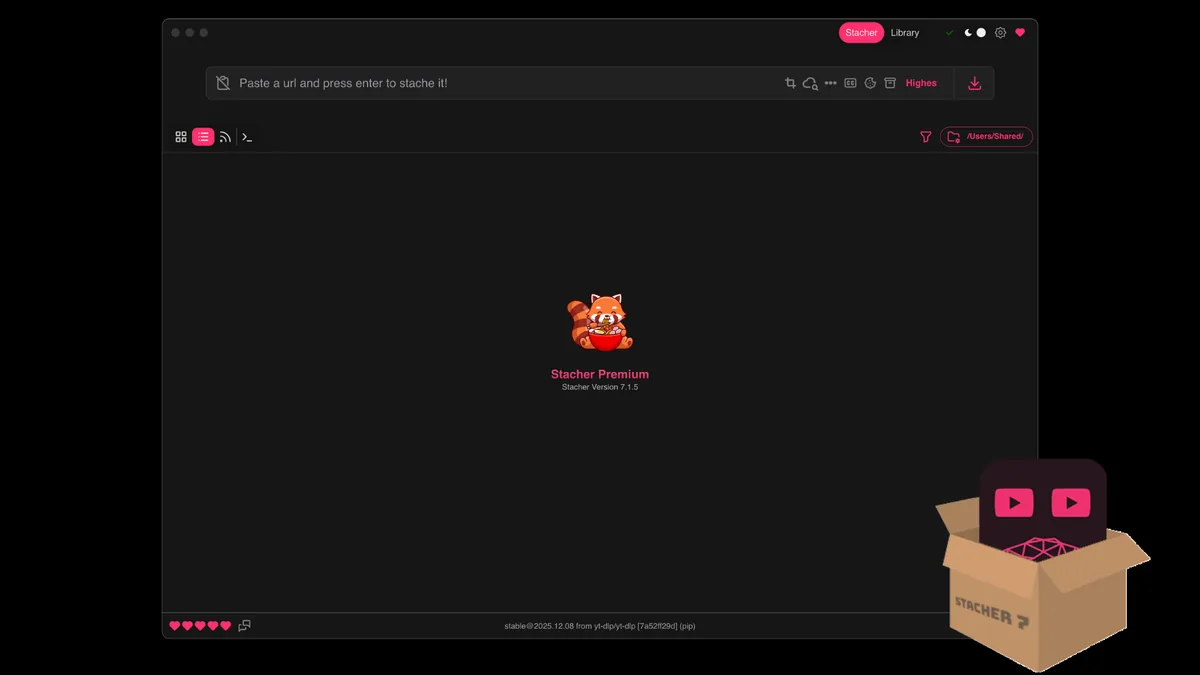
To download Facebook videos with Stacher, begin with the exact page URL, not with a promise that the Facebook brand is universally supported. Stacher is a graphical interface for yt-dlp. The active yt-dlp extractor reads the page, discovers the media formats that are visible to your request, and passes the result back to Stacher. The official yt-dlp support list includes many site extractors, but it also warns that websites change and that a listed site is not a guarantee. The reliable test is one permitted URL today.
Open the Facebook page in your normal browser first. Confirm that the post still plays, copy the address from the address bar, and remove tracking parameters when they are not needed. A canonical page URL is easier to reproduce than a shortened share link, an embedded player URL or a private address copied from developer tools. If the video belongs to a page, group or profile, keep the normal page path and do not replace it with an internal API request.
The official Stacher page checked on November 13, 2026 lists release 7.1.13 for Windows x64, macOS Apple silicon, macOS Intel and Debian amd64. Keep Stacher and its managed yt-dlp component current before diagnosing a Facebook extractor. The release number confirms the application handoff; it does not make a restricted Facebook post public and it does not guarantee a particular resolution.
For a first test, use a short public video and a simple local output folder. Select a combined video-and-audio preset instead of a custom format expression. Let the job reach a completed file before changing quality, subtitles, thumbnails or filename templates. This baseline tells you whether the problem is URL extraction, transfer, post-processing or the requested output rather than a pile of settings changed at once.
- Open one public Facebook video or Reel that you are allowed to save and copy its canonical page URL.
- Paste the URL into Stacher and wait for the format list or the first specific log message.
- Update Stacher and the managed yt-dlp component if extraction fails before a format appears.
- Choose a normal video preset, a writable local folder and one short test job.
- Open the finished file and verify its duration, video track, audio track and container before a larger queue.
Do not treat a successful browser playback, an embedded player or a search result as proof that Stacher can export the same media. Test the exact URL and keep the first meaningful log line.
Facebook video quality, Reels and page videos
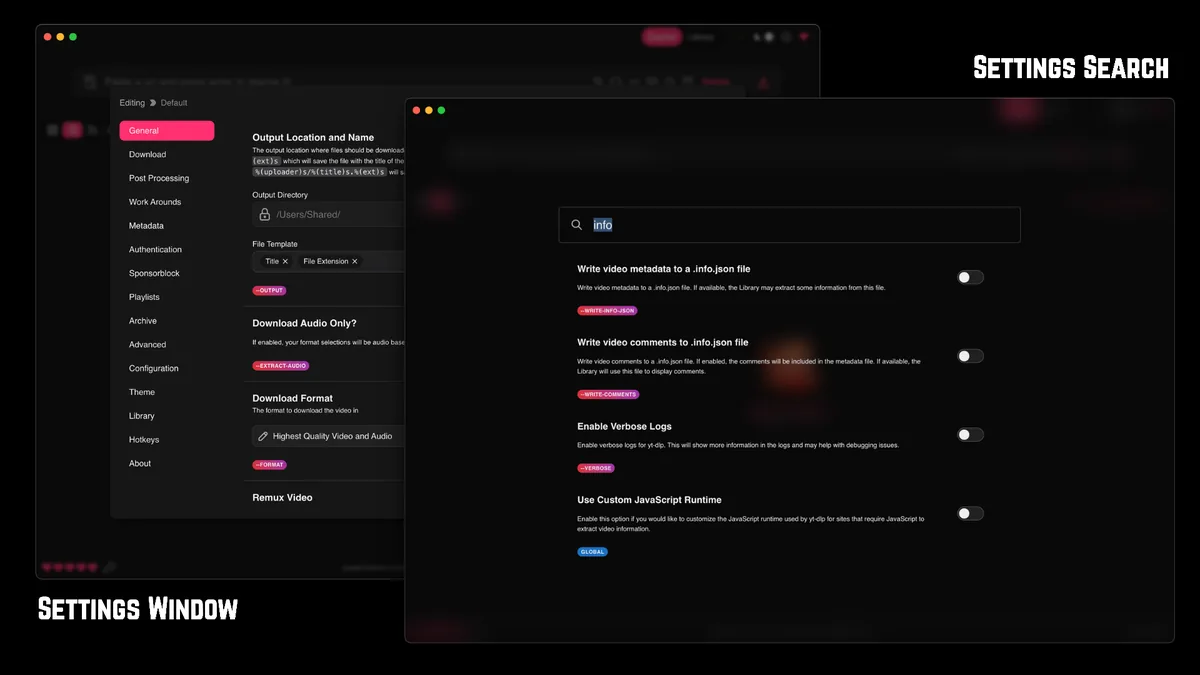
Facebook can expose different media for a feed post, a Reel, a page video, a group post or a live recording. The visible player may choose a rendition automatically while yt-dlp sees only the manifests and formats that the request can access. A high-definition option in the browser therefore does not guarantee that the same option will appear in Stacher. If the format list contains only a low-resolution stream, record that fact instead of forcing a random format code.
The most useful quality check is a comparison between the format list and the completed file. Note the height, frame rate, codec and container, then open the file in the player or editor where you will use it. MP4 with H.264 and AAC is often the practical compatibility choice, but the source may offer different codecs or separate video and audio streams. Selecting a larger number can increase transfer and merge time without creating detail that was not delivered by Facebook.
Test one item from a page or collection before adding a long queue. Reels can have different URL shapes and may expose a portrait format. Live or recently published videos can change while the source is processing them. If one public URL provides only low-definition output and another public URL provides more choices, the contrast points to source delivery or extractor behavior rather than a universal Stacher quality switch.
- Write down height, frame rate, codec and container from the available formats.
- Use a default combined preset for the first run, then change one format condition at a time.
- Compare a short public video with a page video or Reel only after the baseline works.
- Treat low-definition output as a source or extractor limitation unless the log shows a local format error.
- Check the final file in the target player instead of trusting a progress label alone.
The Reddit compatibility report found during research described low-definition Facebook output. It is a user report, not a current product guarantee; use it as a troubleshooting clue and verify your own URL.
Public posts, private groups and responsible access
A public Facebook video is a reasonable first diagnostic because the page can be opened without an account-specific gate. A post that requires a login, belongs to a private group, is visible only to selected people, or has been removed is a different access case. Stacher cannot grant permission that the source did not provide. A browser session that can view a post also does not automatically mean that an automated extractor may save it.
If you have legitimate access and the creator or platform allows saving, use the least sensitive supported workflow. Prefer a creator-provided download or Facebook's own offline/export option when available. When an authenticated session is genuinely necessary, keep your own cookies local, never download cookie files from strangers, and remove tokens, signed URLs and account identifiers before sharing a log. This article does not explain how to bypass a paywall, age check, private group, regional control or other access restriction.
Permission is separate from technical success. Before a batch, record the source URL, date, owner or license note and intended use. A public URL may still be protected by copyright or a creator's terms. Saving a file for personal reference is not the same as publishing, selling or redistributing it. If the allowed export path is unclear, stop and ask the rights holder rather than trying a different extractor or a copied browser cookie.
- Start with a public URL and confirm the video plays normally.
- Use an official download or offline control when the creator or platform provides one.
- Never paste cookies, access tokens or private media URLs into a support request.
- Do not use Stacher to bypass private, paid, age-restricted or regional access controls.
- Keep a permission or license note beside files that you plan to archive or share.
Stacher Download Wiki is independent from Facebook and does not host, mirror or verify rights for Facebook media.
Fix Stacher Facebook download errors
Read the first specific error in the detailed log and assign it to a stage. An unsupported URL, extractor warning or missing format occurs before transfer and usually points to a changed page, an outdated yt-dlp component or a URL shape that the extractor does not recognize. Update the managed component, restart Stacher and retry the same public URL with default settings. Do not reinstall the whole app while the log still points to the source extractor.
A job that starts but stalls during transfer has a different signature. Check whether other jobs are using the connection, whether a VPN or proxy changes the route, and whether the output folder is local and writable. Pause large queues, test one short public URL and compare the average transfer rate rather than a brief peak. A source throttle or HTTP response cannot be fixed by selecting a different container, and repeatedly retrying can make the source limit more strict.
If the progress reaches 100 percent and the file is not ready, separate network work from FFmpeg post-processing. Stacher may be merging separate video and audio streams, remuxing a container, extracting audio or embedding metadata. Check the FFmpeg status, free disk space, file locks and destination path. Reset custom format arguments for one clean test. A merge failure after the bytes arrive is not evidence that Facebook transfer was slow.
Keep a small diagnostic record: Stacher version, managed or custom yt-dlp path, operating system, canonical URL with private parameters removed, selected preset, output folder type and the last meaningful log line. Compare one other permitted public source only after the first test is documented. If Facebook alone fails while another supported source works, the source extractor or access policy is the stronger lead.
Use a stage-by-stage error matrix
Extraction failure means that Stacher cannot build a usable media list. Transfer failure means that a listed stream cannot be downloaded reliably. Post-processing failure means that data arrived but the final file could not be merged or written. Authorization failure means that the source will not expose the requested media to this session. Keeping these categories separate prevents a risky loop of changing cookies, format filters, VPN settings and FFmpeg paths at the same time.
- Extraction: update yt-dlp, confirm the canonical page URL and test one public item.
- Transfer: pause parallel jobs, compare the direct route and inspect HTTP or fragment messages.
- Merge: verify FFmpeg, free disk space, file permissions and the destination path.
- Authorization: confirm entitlement and use the official export path when available.
The official yt-dlp list is a starting point, not a guarantee. A changing Facebook player can break an extractor even when the site name remains listed.
A repeatable Facebook video test checklist
A controlled download Facebook videos with Stacher test is more useful than a long queue that fails after several hidden variables change. Start with a video that is short, public and clearly permitted. Use the same folder and default preset for the baseline. Record the format list, the first log line, the time to start, the final file properties and whether the browser route and Stacher route showed the same access boundary.
After a successful baseline, repeat the download Facebook videos with Stacher workflow while changing only one condition: quality, container, subtitles, thumbnail embedding, output template or parallel jobs. Reopen the finished file after each change. If the change affects only the final file, investigate FFmpeg or the local path; if it changes the available formats, investigate the source page or extractor. This one-variable method also makes a future yt-dlp update easier to evaluate.
For a larger page or group queue, test a representative item before adding everything. Estimate disk space for separate streams and merged output, keep filenames short enough for the operating system and decide whether the archive should preserve source IDs. If an item is private, deleted or no longer playable, mark it as unavailable rather than trying to force it through a different URL.
- Baseline: one authorized public URL, default preset, local folder and no parallel queue.
- Observe: save the format list, average transfer rate, final container and first meaningful log line.
- Change: test one quality or post-processing option, then repeat the same file check.
- Scale: add a page, Reel or group item only after the representative test succeeds.
- Stop: preserve logs and partial output when access or source availability is the actual boundary.
Use the official Facebook export or offline feature when it meets your purpose. Stacher is a workflow interface, not a permission system.
Download Facebook videos with Stacher FAQ
Can Stacher download Facebook videos?
It can sometimes extract a public Facebook video when the active yt-dlp component recognizes the exact URL and the source exposes a usable format. Test one permitted URL because a supported extractor does not guarantee every post, Reel, page, group or resolution.
Why does Stacher only show a low-quality Facebook video?
The source may expose only a low-resolution rendition to the request, the extractor may not see the higher streams, or the selected format may filter them out. Compare the format list with another public URL, update yt-dlp and avoid forcing an unknown format code.
Can I download a private Facebook group video with Stacher?
Only use media that you are legitimately allowed to save and only through a workflow permitted by the creator and platform. Private or login-gated access can remain unavailable even with your own session. Do not bypass the gate or share cookies.
Why does a Facebook URL work in my browser but fail in Stacher?
Browser playback and automated extraction can receive different manifests, cookies or access checks. Copy the canonical page URL, update yt-dlp, test default settings and read the first specific extractor or authorization error.
Why is the Facebook video stuck after reaching 100 percent?
The transfer may be complete while FFmpeg merges separate video and audio streams, remuxes the container or writes metadata. Check CPU, disk activity, FFmpeg status, free space and the destination path before restarting the network request.
Does Stacher download Facebook Reels and page videos?
Reels and page videos can use different URL shapes and exposed formats. Test one short public item from each type after the basic workflow works, and treat a missing format or deleted page as a source limitation rather than a universal app failure.
What Stacher version should I use for Facebook downloads?
The official Stacher page checked on November 13, 2026 lists 7.1.13. Keep the app and managed yt-dlp component current, then verify the exact source URL again. The version does not override Facebook permissions or guarantee a resolution.